Skip to content Skip to navigation

DIY Tutorials

Watch these videos at your own pace to learn more about library topics, research skills, and resources.

Library Basics

Looking for a collaborative meeting space? Collaborative Work Rooms can be reserved through the EMS Room Reservation System. (2:23)
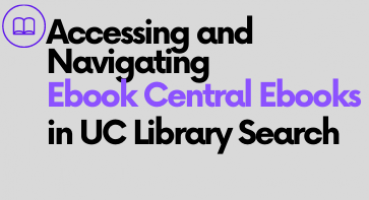
Learn how to locate ebooks (electronic books) in UC Library Search, the Library's catalog. (1:52)
Welcome aboard! Discover how the UC Merced Library supports your academic success by joining us for this unexpected tour of the library.  Prepare for both likely and unlikely events as you begin...

Research Skills: Introductory

Discover how to find databases for your research using UC Merced Library's A-Z Databases listing. (1:20)
Use citation information (e.g. author, article title, journal title etc.) to find the full-text of that known item using a search tool like Google Scholar or UC Library Search. 
This tutorial series includes eight sections:Information Privilege & Accessing InformationUnderstanding the Information CycleDeveloping a Research QuestionFinding & Selecting...

Research Skills: Advanced

Credo Reference is a collection of searchable online reference books including specialized encyclopedias.  This is an excellent resource for readable, background information.  This tutorial...
Learn how CREDO Reference can help you locate important background information on a variety of topics. (3:11)
Use an article's citations trails to find more information related to your research. Look for citation trails in Web of Science, Google Scholar, and UC Library Search.

Resources & Tools

Through this tutorial you will learn how to access Sociological Abstracts to successfully limit results and access the full-text of articles and generate ASA citations.  
PsycINFO is a psychology database that you can use to find empirical articles (articles that report on original research).
Learn how to use Zotero to organize your research, make citations in many styles, annotate, and use the plug-ins to connect Zotero directly to Microsoft Word and GoogleDocs. (50:00)Originally...